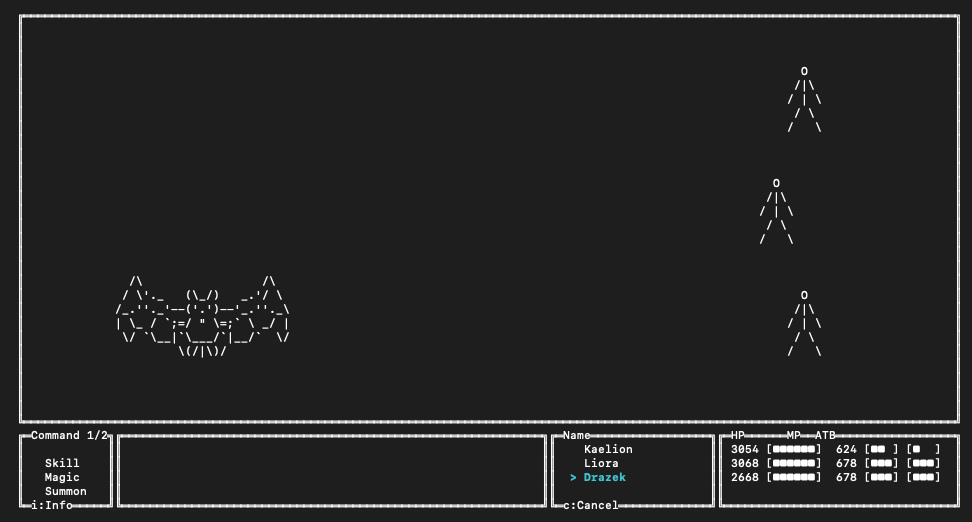
Playtesting tells you how the game feels. Validation and simulation answer two different questions: whether the project is structurally coherent, and what an encounter tends to do across repeated runs.
Validate authored content
Run validation from the project directory:
ichiloto validateThe command reads the project without modifying it. Findings are grouped by the map, data file, event, or system they concern, and include hints where the validator can suggest a repair.
Validation covers relationships that are easy to miss in a normal playthrough, including:
- stable identity conflicts and missing runtime references
- map, NPC, transfer, encounter, event, and cutscene contracts
- actors, classes, inventory, equipment, skills, enemies, and progression data
- summons, achievements, quests, battle escape policy, and project policy
- save identity, content migrations, aliases, and tombstones
Errors make the command fail. Warnings are reported without failing unless you ask for strict handling:
ichiloto validate --strictThat makes strict validation useful before a release and in automated checks.
To inspect a project from elsewhere, pass --directory=/path/to/project.
Play one battle in isolation
Open the arena without walking through the game to reach an encounter:
ichiloto battleThe arena lists the troops declared by the project. To jump directly into a known troop, use its authored name:
ichiloto battle --troop="Forest Wolves"This is still the right place to judge readability, decision pressure, animation timing, and whether the encounter is enjoyable.
Simulate repeated outcomes
Once the battle feels coherent by hand, run it repeatedly:
ichiloto battle --troop="Forest Wolves" --runs=100The report uses the engine's combat rules and restores the observed party and troops between runs. It summarizes participants, outcomes, turns, damage, states, rewards, and sample hits without changing project saves.
Use a turn limit to define when a simulated fight should count as a slog:
ichiloto battle --troop="Forest Wolves" --runs=100 --turn-limit=40A simulation is a balancing aid, not a replacement for play. Simulated battlers attack; they do not reproduce every guard, spell, item, or human decision. Use the report to find suspicious patterns, then return to the arena or full game to understand why they occur.
A practical release loop
- Make a focused authoring change.
- Run
ichiloto validate. - Play the affected map, event, or encounter.
- Simulate balance-sensitive troops when the change affects combat.
- Run
ichiloto validate --strictbefore packaging the build.