Ichiloto ships with a FIGlet-powered banner workflow so title screens and menu plaques can be regenerated from the CLI whenever the project identity evolves.
Start with the simplest form:
ichiloto generate:figlet "Moonfall Legend"When you want the banner written directly into the current project, point it at the title asset:
ichiloto generate:figlet "Moonfall Legend" --output assets/Graphics/System/title.txtYou can stay with Ichiloto's curated house styles:
ichiloto generate:figlet "Moonfall Legend" --style epicOr choose an exact FIGlet font when you want tighter control:
ichiloto generate:figlet "Moonfall Legend" --font slant
ichiloto generate:figlet --list-fonts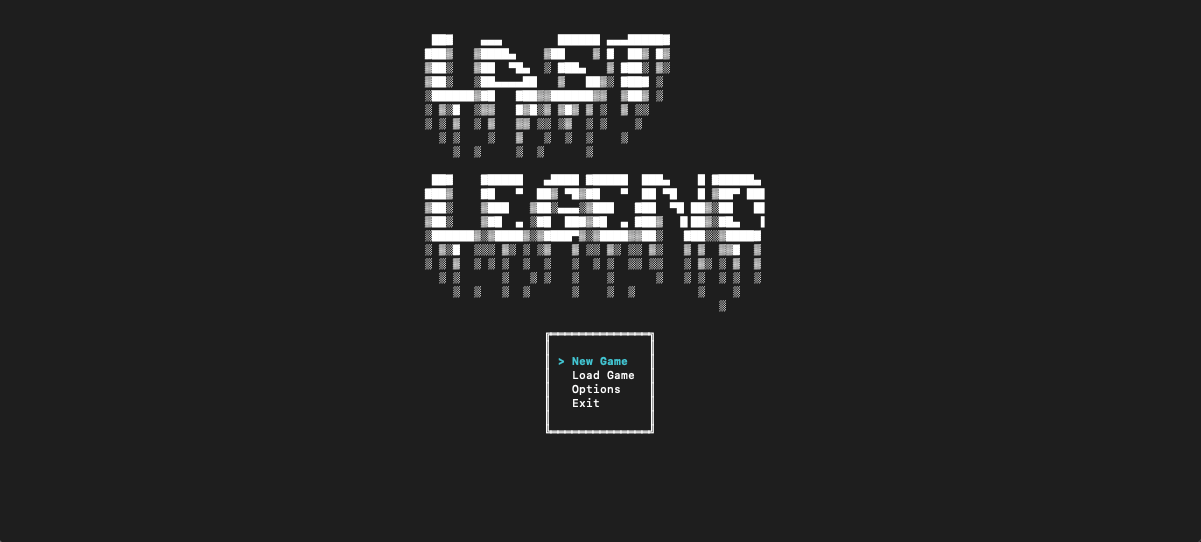
This keeps title presentation inside the same working rhythm as maps, events, and playtesting. You can change the banner, launch the game, judge the feel, and reforge it again in a matter of seconds.